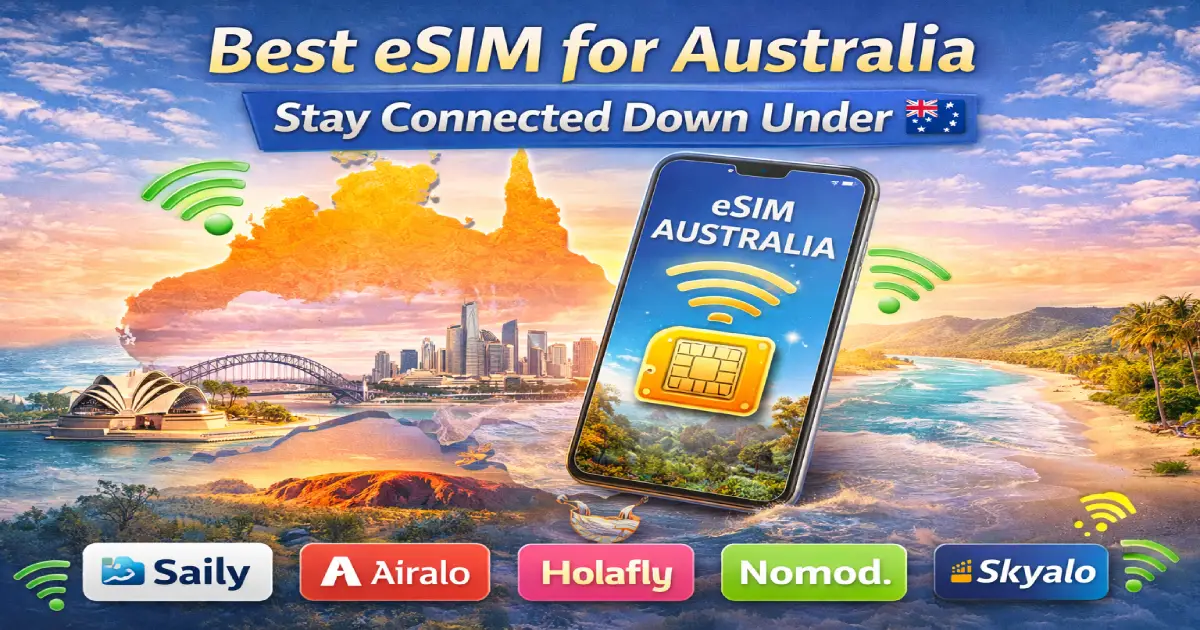
Picture this: You’ve just landed at Sydney International Airport after that long international flight. Your body’s exhausted, but your excitement is through the roof. The Sydney Opera House, Great Barrier Reef, and the vast Outback are calling your name. But here’s the thing—before you can even share that first “I’ve arrived in Australia!” photo, you need internet access.
I’ve watched countless travelers make the same mistake. They land at Melbourne or Brisbane, immediately start searching for WiFi signals or queueing at overpriced airport kiosks selling local SIM cards. Meanwhile, savvy travelers who’ve set up their eSIM for Australia before leaving home are already booking their Uber, checking into their accommodation, and mapping out tomorrow’s adventure.
Let me tell you why choosing the right eSIM for Australia isn’t just about convenience—it’s about transforming your entire travel experience. From navigating Sydney’s intricate public transport system to finding that hidden café in Melbourne’s laneways, from booking last-minute tours of Uluru to staying in touch with worried family back home, reliable internet connectivity makes everything smoother, safer, and infinitely more enjoyable.
Australia isn’t just another destination. It’s a vast continent-nation spanning nearly 7.7 million square kilometers. You’ll move between cosmopolitan cities, remote outback regions, tropical rainforests, and pristine beaches. The distances are enormous. Google Maps becomes your best friend. Real-time information saves time, money, and sometimes even helps in emergencies.
This comprehensive guide walks you through everything you need to know about using an eSIM for Australia. We’ll cover what eSIM technology actually means, why it’s revolutionized travel connectivity, how to choose the perfect data plan for your trip, and insider tips that’ll make your Australian adventure seamless from the moment you touch down.
Australia presents unique challenges that make reliable mobile data absolutely essential:
Massive Distances Between Attractions Sydney to Melbourne? That’s 878 kilometers (545 miles) by road. Cairns to Brisbane? 1,700 kilometers (1,056 miles). The Great Ocean Road drive alone stretches 243 kilometers (151 miles). You’re not hopping between European cities here—Australian travel involves serious distances.
Without real-time navigation and traffic updates, you could easily add hours to journey times or miss crucial turns on remote highways where the next service station might be 200 kilometers away!
Urban Navigation Complexity Sydney’s public transport includes trains, light rail, buses, and ferries operating across a massive metropolitan area. Melbourne’s tram network is the largest in the world. Brisbane’s CityCat ferries connect riverside suburbs. Perth’s bus routes cover enormous suburban sprawl.
Tourist maps won’t cut it. You need Google Maps or Citymapper showing real-time schedules, platform changes, service disruptions, and optimal routes. Trust me—I’ve seen tourists waste half their sightseeing day just figuring out Sydney’s Opal card zones!
Safety in Remote Areas Planning to drive the Great Ocean Road? Explore the Outback? Visit Tasmania’s wilderness? Mobile connectivity becomes a safety essential, not a luxury. Breaking down on a remote highway with no phone signal? That’s genuinely dangerous.
Having data means you can:
Booking and Reservation Changes Australia’s tourism operates digitally. Many attractions require advance online booking. Tours often send booking confirmations via email. Restaurants use online reservation systems. Having constant internet access means you can:
Staying Connected with Home The 12.5 to 15.5-hour time difference between Australia and Europe/Americas makes real-time communication challenging. WhatsApp, Viber, and video calls become lifelines for:
Today’s travel experience is fundamentally digital:
Navigation Apps
Accommodation Apps
Ride-Sharing and Transport
Food and Dining
Travel Planning
Social Media Sharing Let’s be honest—half the fun of Australia is sharing those incredible moments:
Without reliable data, you’re essentially traveling blind in the digital age. And in a country as vast and diverse as Australia, that’s not just inconvenient—it’s potentially risky.
Let me demystify eSIM in simple terms. Traditional SIM cards are those tiny physical chips you insert into your phone’s SIM tray. An eSIM (embedded SIM) is completely digital—it’s embedded directly into your phone’s hardware.
Think of it like this: Traditional SIM = Physical DVD you insert into a player. eSIM = Netflix streaming directly to your device. Same function, completely different delivery method.
How eSIM Actually Works Your phone contains a rewritable chip that can store multiple network profiles. When you purchase an eSIM data plan, the provider sends you a QR code via email. You scan this QR code through your phone’s settings, and boom—the network profile downloads directly to your phone’s eSIM chip.
No physical cards to lose. No SIM ejector tools to fumble with. No airport kiosks to queue at. Just digital activation that happens in minutes.
Let me give you the honest comparison:
| Feature | Traditional SIM Card | eSIM for Australia |
|---|---|---|
| Activation Time | After landing (30-60 mins with airport queue) | Before departure (5 mins from hotel) |
| Physical Handling | Remove your home SIM, risk losing it | Keep home SIM active alongside eSIM |
| Setup Location | Airport kiosk or local mobile shop | Anywhere with WiFi |
| Dual SIM Capability | Limited (swap SIMs constantly) | Seamless (both SIMs active) |
| Instant Connectivity | Delayed until purchase complete | Immediate upon landing |
| Emergency Access | None until SIM purchased | Pre-loaded and ready |
| Lost SIM Risk | Physical card can be lost/damaged | Digital profile can’t be physically lost |
Real-World Scenario:
Traditional SIM Approach: You land at Sydney Airport exhausted from a 14-hour flight. You queue for 30 minutes at the SIM card shop. You purchase a SIM for AUD $40-60. You carefully remove your home SIM (hoping you don’t lose that tiny piece of plastic). You insert the Australian SIM. You wait for activation. You miss messages that arrived on your home number. Finally, 60-90 minutes after landing, you’re connected.
eSIM Approach: You purchased your Australia eSIM plan three days before departure. You scanned the QR code while packing. When your plane touches down in Sydney, your phone automatically connects to the Australian network. Within seconds of turning off airplane mode, you’re online. You book your Uber while waiting for luggage. You’re in your city-bound transport before the traditional SIM buyer even exits the airport queue.
The difference? Saved time, reduced stress, maintained home number access, and instant connectivity.
Not all phones support eSIM technology. Before getting excited, verify your device compatibility:
eSIM-Compatible iPhone Models:
eSIM-Compatible Android Devices:
How to Check if Your Phone Supports eSIM:
For iPhone:
For Android:
*#06#Important Note: Some phones are eSIM-capable but locked by carriers. Contact your home carrier to confirm eSIM functionality for international use.
This benefit cannot be overstated. The psychological relief of knowing you’re connected the second you land is invaluable.
The First-Hour Advantage: Those first 60 minutes after landing often set the tone for your entire trip. With eSIM already activated:
I’ve seen travelers miss paid tour bookings because they couldn’t access confirmation emails to find the meeting point. I’ve watched people wander Sydney Central Station for 30 minutes because they couldn’t load their hotel’s directions. These problems vanish with pre-activated eSIM.
Here’s a feature most travelers don’t fully appreciate until they experience it: dual SIM capability.
Simultaneous Network Access: Your eSIM provides Australian mobile data while your physical home SIM remains active for calls and texts. This means:
Practical Example: You’re exploring Melbourne’s laneways using Google Maps on your Australian eSIM data connection. Your home country bank detects unusual transaction activity in Australia and calls your home number to verify. You receive that call instantly because your home SIM is still active. Crisis averted. No fraud holds on your cards.
Without dual SIM, you’d need to physically swap SIMs to check home network messages, losing Australian connectivity temporarily. It’s inconvenient and risky.
eSIM providers understand that not all travelers are created equal. Data usage varies wildly based on travel style:
The Weekend City Breaker (3-5 Days):
The Standard Tourist (7-10 Days):
The Digital Nomad (14-30 Days):
The Road Tripper:
The Social Media Influencer:
Most eSIM providers offer all these tiers, letting you choose perfectly matched plans instead of being forced into one-size-fits-all packages.
This seemingly small benefit has saved countless travelers from communication disasters.
The Lost SIM Card Nightmare: I cannot count how many travel stories involve lost physical SIM cards:
The eSIM Advantage: Your home SIM never leaves its slot. Your eSIM exists digitally. Nothing to lose. Nothing to damage. Nothing to mix up. Maximum security with minimum risk.
Bonus Protection: If you lose your phone entirely, your home SIM is still securely inside it. You can remotely wipe the device knowing your primary SIM remains protected within the locked hardware.
Let’s talk about the apps that actually matter during Australian travel:
Google Maps Essentials:
I once watched a tourist try to navigate Sydney’s metro system using a paper map from 2019. Three new stations had opened since that map was printed. She spent an hour confused before asking for help. Google Maps with live data would have solved this instantly.
TripView (Sydney Essential): Sydney’s public transport runs on a complex network. TripView shows:
Uber and DiDi: Australian taxi prices can be shocking. Ride-sharing apps provide:
Restaurant and Attraction Apps:
Without reliable data, these essential tools become useless. Your smartphone transforms into an expensive paperweight.
Let me show you why international roaming is financial madness:
Typical Roaming Charges from Major Carriers:
| Provider | Daily Roaming Fee | Data Charges | Call Charges |
|---|---|---|---|
| AT&T (USA) | $10/day | Included with home plan | $3/minute |
| Vodafone (UK) | £6/day (₹630) | Included | £1.50/minute |
| Telstra (Australia) | – | – | – |
| Airtel (India) | ₹575/day | Limited data | ₹95/minute |
| VI (India) | ₹695/day | Limited data | ₹80/minute |
7-Day Trip Cost Comparison:
| Service Type | International Roaming | eSIM Data Plan |
|---|---|---|
| Data Access | ₹4,900 (₹700/day × 7) | ₹1,400 (one-time) |
| Calls Home | ₹1,900 (20 mins × ₹95) | Free via WhatsApp |
| Total Cost | ₹6,800 | ₹1,400 |
| Savings | – | ₹5,400 (79%) |
That’s ₹5,400 saved on a single week-long trip! Enough for an additional day’s accommodation, a wine tour in Hunter Valley, or a Great Barrier Reef snorkeling excursion.
The activation simplicity deserves detailed explanation because this is where travelers worry unnecessarily.
Step-by-Step eSIM Activation (5 Minutes Total):
Step 1: Purchase Your eSIM Plan (2 minutes)
Step 2: Install eSIM Profile (2 minutes)
Step 3: Configure Settings (1 minute)
Pro Tips for Smooth Setup:
Troubleshooting Common Issues:
QR Code Won’t Scan:
eSIM Not Connecting:
99% of users never encounter issues. The process genuinely is that straightforward.
Let me walk you through actual situations where eSIM connectivity makes or breaks experiences:
Scenario 1: The Spontaneous Great Ocean Road Drive
You’re in Melbourne. Weather forecast shows a perfect sunny day tomorrow. You want to drive the Great Ocean Road.
With eSIM:
Without eSIM:
The difference? A perfectly planned adventure versus stressful improvisation.
Scenario 2: The Bondi Beach Sunset Dilemma
You’re at Bondi Beach. Sunset approaches. You want to capture that perfect Instagram moment and share it immediately.
With eSIM:
Without eSIM:
For social media-focused travelers, this timing matters enormously.
Scenario 3: The Sydney Opera House Tour Emergency
You’ve pre-booked an Opera House guided tour for 2:00 PM. At 1:00 PM, the tour company sends an email: Due to special event, tour moved to 4:00 PM today.
With eSIM:
Without eSIM:
This actually happened to someone I know. eSIM prevented a completely wasted afternoon.
Australian cities can be deceptively complex to navigate. Let me explain why GPS matters so much:
Sydney Transport Complexity:
Google Maps integrates all this, showing:
Melbourne Tram Network:
Rural Navigation:
Apps like Google Maps and Waze provide:
Driving Australia’s highways without GPS? That’s genuinely risky given the distances and isolation.
Let’s be honest—Australia is incredibly photogenic:
Real-Time Sharing Benefits:
Instagram Stories Optimization:
Family Peace of Mind:
Cloud Backup:
Without eSIM, you’re limited to WiFi hotspots, posting hours or days after experiences, losing that real-time appeal.
Not all eSIM providers deliver equal service. Here’s what to evaluate:
Coverage Quality: Look for providers partnering with major Australian networks:
Data Allowances: Match your expected usage:
Validity Periods:
Customer Support:
Pricing Transparency:
Timing Recommendations:
Install eSIM 48-72 hours before departure. This provides:
Pre-Flight Checklist:
Important Settings to Configure:
iPhone Settings:
Android Settings:
What Happens When You Land:
If Connection Doesn’t Work Immediately:
Expected Speeds in Australia:
These speeds handle all typical travel activities comfortably.
Let me show you the complete financial picture with real-world pricing:
Traditional SIM Card Costs:
Airport Kiosk (Sydney):
7-Eleven/Woolworths (Cheaper but city location needed):
eSIM Average Costs:
1-Week Plans:
2-Week Plans:
30-Day Plans:
Total Cost of Ownership Analysis:
| Item | Traditional SIM | eSIM |
|---|---|---|
| Base Cost | AUD $30-50 | AUD $20-45 |
| Airport Transfer Time | 30-60 mins (₹500-1,000 opportunity cost) | 0 mins |
| Setup Complexity | Moderate | Simple |
| Home SIM Risk | Removal required | Stays safe |
| Activation Delay | After landing | Pre-activated |
| Total Value | Lower | Higher |
The eSIM often costs slightly less while delivering significantly more value through time savings and convenience.
What people forget to calculate:
Airport Time Value: That 60-minute queue and setup time? If your time is worth anything, that’s a real cost. Missing your pre-booked airport transfer? That’s an additional AUD $50-80.
Lost Home SIM Replacement: Replacing a lost home country SIM card costs ₹200-500 plus activation hassles and temporary number loss.
Missed Calls and Messages: Important calls to your home number while SIM is removed? Potential costs of missed information or opportunities.
Roaming Bill Shock: Accidentally leaving home SIM data on? I’ve seen ₹15,000-30,000 surprise bills from accidental roaming.
eSIM eliminates all these hidden risks.
Profile: You’re hitting Sydney or Melbourne for a long weekend. Planning to do major attractions, eat at good restaurants, take lots of photos.
Data Usage Estimate:
Recommended Plan:
Strategy: Use hotel WiFi for heavy uploads and downloads. Mobile data for on-the-go essentials.
Profile: Classic Australian holiday. Sydney → Cairns → Melbourne. Mix of cities, beaches, and nature.
Data Usage Estimate:
Recommended Plan:
Strategy: Comfortable data allowance for typical usage. Upgrade to unlimited if you stream video content regularly.
Profile: Working remotely from Australia. Need reliable internet for video calls, cloud access, file transfers.
Data Usage Estimate:
Recommended Plan:
Strategy: Invest in unlimited to avoid productivity interruptions from data monitoring. Use hotel WiFi for massive downloads.
Profile: Driving the East Coast, Great Ocean Road, or Outback routes. Need consistent navigation and emergency connectivity.
Data Usage Estimate:
Recommended Plan:
Strategy: Download offline maps as backup. Ensure eSIM partner uses Telstra network for best remote coverage.
Profile: Hostels, public transport, free activities. Need connectivity but watching every dollar.
Data Usage Estimate:
Recommended Plan:
Strategy: Maximize hostel/café WiFi for downloads and updates. Mobile data for outdoor navigation and essential communication.
Google Maps (Essential – Download before departure)
TripView (Sydney essential)
PTV (Public Transport Victoria)
Waze
Airbnb
Booking.com
Hostelworld (Backpackers)
Zomato
The Fork / OpenTable
Deliveroo / Uber Eats
GetYourGuide
Viator
TripAdvisor
Emergency+ App (Essential – Free, official app)
Bureau of Meteorology (BOM)
Skype
Viber
Xe Currency
Splitwise (Group travel)
Google Photos
VSCO
All these apps require data connectivity to function optimally. Your eSIM enables their full potential throughout your journey.
The “best” provider depends on your specific needs. For overall value and reliability, Airalo and Holafly consistently receive positive reviews from Australian travelers. For unlimited data plans, Holafly offers excellent options. For budget-conscious travelers, Airalo’s basic plans provide good value. For digital nomads needing extensive data, eSIM Go and Nomad offer competitive unlimited options. Always compare coverage networks—Telstra-partnered eSIMs provide superior coverage in remote areas.
For typical tourist activities (navigation, social media, messaging, photo sharing), 10-15GB comfortably covers a week. Heavy users who stream music/video or work remotely should budget 20-30GB. Light users focusing on basic navigation and messaging can manage with 5-7GB. Consider your normal monthly usage at home and plan accordingly—you’ll likely use slightly more data while traveling due to constant navigation and discovery.
Yes, but coverage quality depends on which Australian network your eSIM provider partners with. Telstra offers the best coverage in regional and remote areas (reaching 98.8% of population). Optus and Vodafone provide excellent urban and regional coverage but may have gaps in very remote locations. If you’re planning Outback travel or remote coastal driving, specifically choose an eSIM using Telstra’s network. For major tourist routes (Great Ocean Road, East Coast, Tasmania main areas), all major networks provide adequate coverage.
Most smartphones released after 2018 support eSIM technology. Check compatibility by:
*#06# and check for EID number Confirmed compatible models include iPhone XS and newer, Google Pixel 3 and newer, Samsung Galaxy S20 and newer, most recent flagship Android devices. If unsure, contact your phone manufacturer or current mobile provider.Yes! This is one of eSIM’s major advantages. Your physical home SIM remains in your phone and stays active for calls and texts to your home number. The eSIM provides Australian data connectivity. You configure settings to use the eSIM for mobile data while keeping your home SIM for calls. This dual SIM functionality means you never miss important messages or calls to your home number.
Most eSIM providers offer easy top-up options through their apps or websites. You can purchase additional data packages without installing a new eSIM profile. Some providers offer auto-renewal options. If you completely run out and cannot top up, you’ll simply lose mobile data access until you add more data—your home SIM for calls/texts remains unaffected. Always monitor your data usage through phone settings to avoid surprises.
Activation is automatic if you’ve pre-installed the eSIM profile. Simply turn off Airplane Mode when you land, and your phone will connect to the Australian network within 30-60 seconds. If it doesn’t connect automatically: toggle Airplane Mode on/off, restart your phone, or manually select the network in Settings → Carrier. Ensure Data Roaming is enabled for your eSIM in phone settings. 99% of users experience instant automatic connection.
eSIM plans are generally competitively priced with Australian prepaid SIMs, often slightly cheaper for short-term travelers. The true savings come from convenience—no airport queue time, no risk of losing your home SIM, instant activation, and the value of immediate connectivity upon landing. For 7-14 day trips, eSIM typically offers better overall value when you factor in time savings and convenience. For stays exceeding 30 days, local SIM cards might offer slight cost advantages for unlimited plans.
eSIM provides mobile data, not a local phone number. However, you can make calls using: WhatsApp, Skype, FaceTime Audio, Google Voice, or other internet-based calling apps. These work perfectly over your eSIM data connection and are often free or very cheap for international calls. If you need a local Australian phone number for booking or local calls, some eSIM providers offer plans with calling minutes, or you can purchase a traditional SIM card.
First troubleshooting steps: (1) Ensure Data Roaming is enabled for your eSIM, (2) Toggle Airplane Mode on/off, (3) Restart your phone completely, (4) Manually select the network in Settings, (5) Verify your eSIM plan is activated and has remaining validity. If issues persist, contact your eSIM provider’s support team (via email sent using hotel WiFi). Most providers offer 24/7 support and can remotely troubleshoot or issue replacement eSIM profiles if necessary.
Australia isn’t just another travel destination—it’s a vast, diverse continent that demands reliable connectivity for safe, efficient, and enjoyable exploration. From Sydney’s urban sophistication to the Outback’s remote wilderness, from the Great Barrier Reef’s underwater wonders to Melbourne’s hidden laneways, staying connected transforms every aspect of your journey.
Choosing an eSIM for Australia represents the smartest connectivity decision modern travelers can make. The instant activation upon landing, the dual SIM security of keeping your home number active, the flexibility of choosing data plans matching your exact needs, and the elimination of expensive roaming charges—these benefits compound into dramatically improved travel experiences.
I’ve watched this technology evolve from a niche solution to the travel standard. Travelers who embrace eSIM connectivity consistently report higher satisfaction, lower stress, and better overall experiences compared to those struggling with traditional SIM cards or expensive roaming.
The setup process takes five minutes. The cost saves hundreds compared to roaming. The convenience pays dividends throughout your entire Australian adventure. Whether you’re photographing the Opera House at sunrise, navigating the Great Ocean Road at sunset, or calling home from a Cairns beach, your eSIM for Australia keeps you connected, informed, and sharing every magical moment.
Australia awaits. Stay connected. Travel smarter. Experience more.
This comprehensive guide is brought to you by Travel Tourister, your trusted companion for seamless international travel. For curated Australia tour packages, expert travel advice, and complete destination guides, visit our website and start planning your Australian adventure today.

As an upcoming travel agent I got much support from travel tourister. We are getting very good leads from travel tourister and they mend our website which is also very commendable.... Excellent work Hope to do more business forward.... Thanks and regards CEO,Andaman Unlocked
Rating:
10/20/2018
As an upcoming travel agent I got much support from travel tourister. We are getting very good leads from travel tourister and they mend our website which is also very commendable.... Excellent work Hope to do more business forward.... Thanks and regards CEO,Andaman Unlocked
Rating:
10/20/2018
2nd Floor, 39, Above Kirti Club, DLF Industrial Area, Kirti Nagar, New Delhi, Delhi 110015



Travel Tourister is a leading Travel portal where we introduce travellers to trusted travel agents to make their journey hasselfree, memorable And happy. Travel Tourister is a platform where travellers get Tour packages ,Hotel packages deals through trusted travel companies And hoteliers who are working with us across the world. We always try to find new and more travel agents and hoteliers from every nook and corners across the world so that you could compare the deals with different travel agents and hoteliers and book your tour or hotel with the one you have chosen according to your taste and budget.
Copyright © Travel Tourister, India. All Rights Reserved






 Call
Call Enquiry